Outlook

Questionable URLs detected in message email reply when reporting in Outlook

Questionable URLs detected in message email reply when reporting in Outlook

I swear I did not change a setting, but I’ve started experiencing the following behaviour with the Outlook client in Windows 11, that replaced the Mail app:

  • Click on the ellipse (three dots … ) in an email, next to the forward, reply buttons
  • Select Report then either Report Junk or Report Phishing
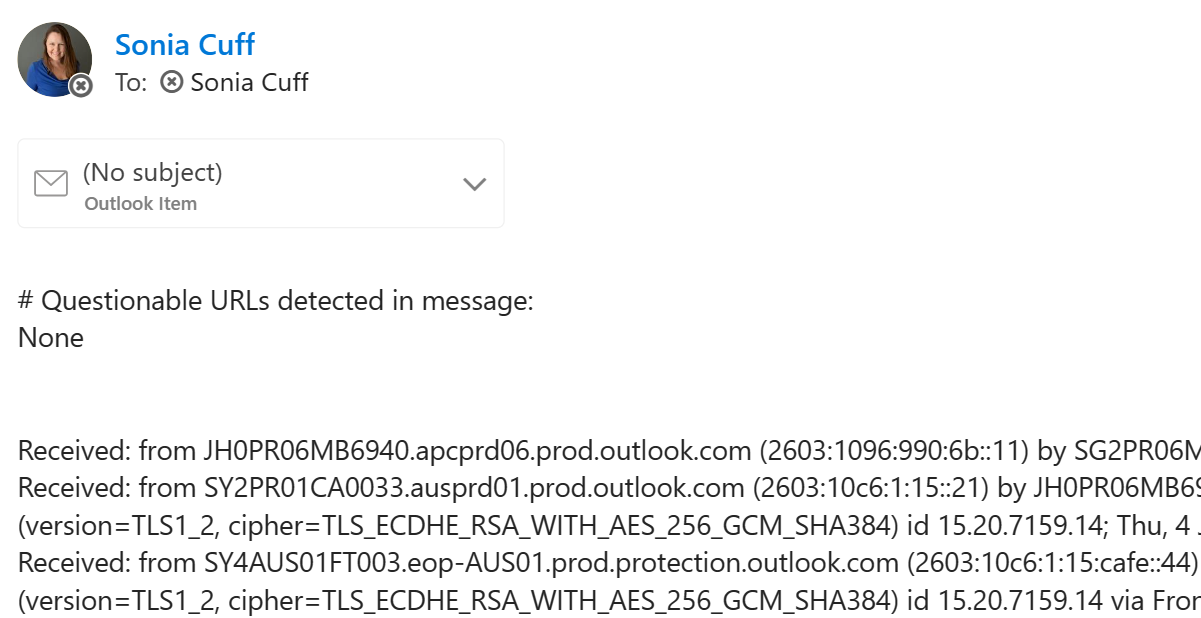
  • Immediately receive a copy of the message headers as a new email to my Inbox, from myself, with the subject # Questionable URLs detected in message: None and a copy of the message as an attachment.

It’s likely this was a system change with a Microsoft Defender update and not related to the Outlook client at all, but here’s how to turn off those replies:
Outlook for Mac Read receipt and Gmail calendar and contacts

Aside from the strive to use modern collaboration tools, many people still live in email as their main form of business communication. Microsoft�s �any device� approach means we�re seeing more support for Outlook and other Office apps on the Mac, but there are still some functionality differences.

Here are a couple of features that are missing on the Mac, which have recently been flagged by the Office team as in development or preview:

Outlook cannot log on. Verify you are connected to the network.

Outlook cannot log on. Verify you are connected to the network.

I?ve seen this great little error occur with Microsoft Outlook 2016. It?s so great that even completely uninstalling Office 365 ProPlus and reinstalling it doesn?t get rid of the error. This is on Windows 10 with the latest operating system updates applied.

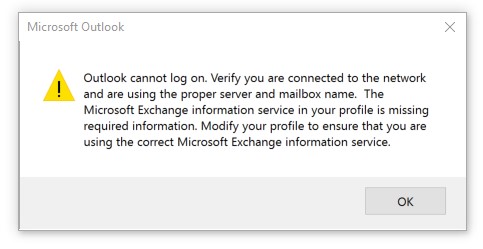
?Outlook cannot log on. Verify you are connected to the network and are using the proper server and mailbox name. The Microsoft Exchange information service in your profile is missing required information. Modify your profile to ensure that you are using the correct Microsoft Exchange information service.?

Outlook 2016 Attach File menu disappears

Outlook 2016 Attach File menu disappears

We?ve seen some strange ?attach file? behaviour in Outlook 2016 installed via Office 365 ProPlus.

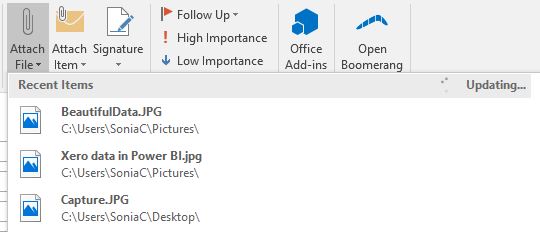
Specifically, when you click on the Attach File icon, the dropdown menu of Recent Items and other locations disappears, rolling back up. You can?t actually attach a file.

This behaviour appears when Outlook updates the Recent Items list.

Outlook 2013 changes account from Office 365 to old on premise Exchange server

Outlook 2013 changes account from Office 365 to old on premise Exchange server

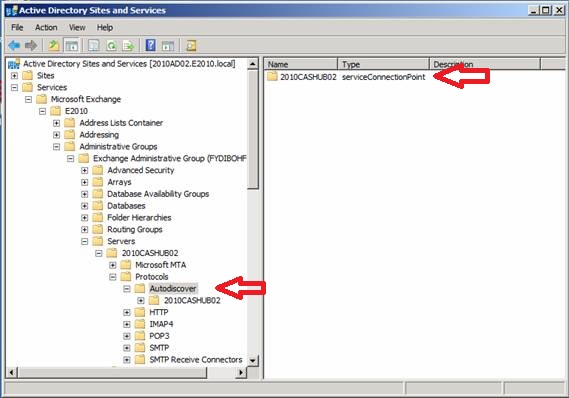
When you have a problem once and you can reset everything, it?s annoying. But usually it?s quicker than getting to the root cause of exactly why it happened. When the same problem occurs a month later, it?s time to find the root cause.In this case, my Outlook 2013 randomly decides to stop connecting to Office 365 and changes my?email account settings back to our old,?defunct?Exchange server. The telltale sign is when Outlook refuses to connect and repeatedly prompts for my user credentials (yes I did type in my password correctly). The only way to fix it seems to be to set up a new Outlook profile and reconnect to Office 365. Talk about?frustrating. We?d done all the necessary steps during the migration (including adding the correct autodiscover dns records) and had run happily for months before this issue appeared. And lucky me, it was only happening on my computer.

How to save yourself after accidentally deleting an email folder on your iPhone

In the tradition of �physician, heal thyself�, I�ll come clean and confess to a slight user error with my iPhone. I will also let you in on the secret of how I recovered from it, which you may also be able to do WITHOUT calling your IT department.

So, this iPhone thing is all new to me. I�m usually an early adopter, but my HTC phone was still under contract when the first iPhone came out and then I procrastinated�about the iPhone vs Windows Phone debate�so I managed to launch straight into a 4S.� Setting it up was rather straighforward � until I tried to add another email account.� Said second email account is on a server that isn�t mine, and all I had�was a wedmail address & the login details.� I can figure this out, surely.

Office 2010 � great new features!

Written for the Computer Troubleshooters franchise for distribution to our global client base:

Microsoft�s release of Office 2010 has been somewhat overshadowed by the recent Apple iPad release, however the new version of Office has some fantastic improvements that are worth shouting about. This month, we highlight a few of the features that will make your life easier.

Work better together�� Do you e-mail files for people to review, managing revision numbers and tracking editing changes? Or do you use technology like Google Apps for internet-based sharing and collaboration? With Office 2010, your document can now be shared easily on the internet and edited by multiple people at the same time (for real-time co-authoring). This feature alone may change how teams work together internally and how businesses work with their customers.